Free Online
PDF Splitter
Split your PDF without installing any PDF software. Choose from four flexible online modes to extract content, divide documents by groups, or remove unwanted PDF pages.
Desktop
PDF Splitter
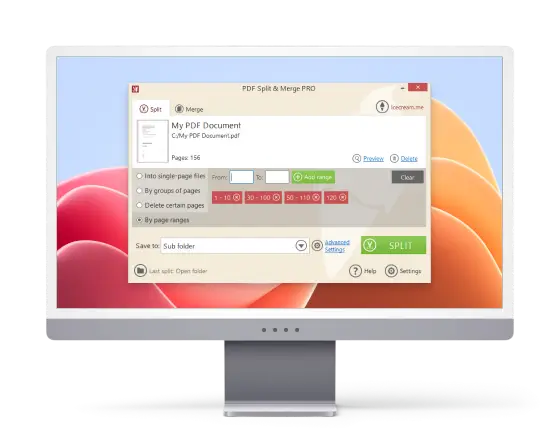
Extract pages from PDF files right on your Windows PC. Split and merge PDFs without an internet connection. Manage your documents with ease in the PDF separator for free.
Professional PDF Management Features
Whether you need to divide large PDF files or organize pages precisely, our PDF cutter is the perfect solution for both personal and professional use.
-
Flexible Splitting Modes
Icecream PDF Splitter has four powerful options: extract individual pages, split by ranges, group pages into new files, or remove PDF pages for efficient document management.

-
Split Large PDF Files
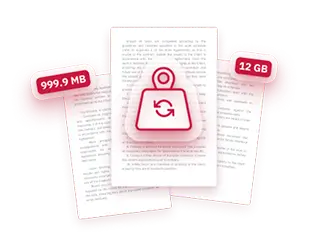
Separate PDF documents of any size with no restrictions on page numbers, ensuring smooth handling of both small and extensive papers.
-
Free PDF Splitter
Cut PDFs with a desktop app for Windows with no watermarks. It allows secure, fast, and efficient PDF splitting and merging without internet access.

-
Built-in Page Preview
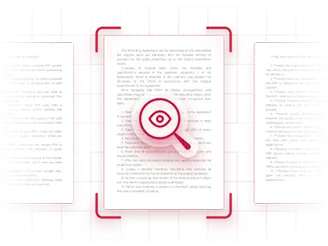
Preview the result to accurately split PDFs into multiple files, keeping only the desired content.
-
Work Completely Offline
Manage and split your PDF files locally on your computer without uploading documents online. Icecream PDF Split & Merge ensures maximum privacy and fast performance.

-
Add Custom PDF Metadata
Enhance PDF organization by adding custom metadata such as titles, authors, and keywords, making file searching and retrieval quick and simple.

 User Reviews of PDF Splitter
-

I use the desktop PDF separator daily for organizing client files. It’s fast, doesn’t require internet, and I love that there are no annoying watermarks. Perfect for working remotely!
-

I had a 500-page document, and I needed to split the PDF into multiple files. This tool handled it like a breeze. No crashes, even with a huge size - highly recommend!
-

pdf-splitter.online is super convenient when I’m on the go. I can separate PDF pages in just a few clicks without installing anything. Great for quick edits!
-

Icecream PDF Split & Merge is perfect to divide PDFs offline without any hassle. I can remove pages I don’t need, split large documents, and have everything the way I want it in minutes. Super reliable and easy to use!
-

This PDF document splitter makes storing my data effortless. I especially love the page preview - it’s easy to see exactly what I’m extracting before I save. Plus, working offline gives me peace of mind for sensitive documents.
-

I often deal with huge reports, and this tool handles them flawlessly. Splitting PDF by ranges and grouping pages into standalone files saves me so much time. No crashes, no limits - exactly what I needed!
Free PDF Splitter for PC
Easily split PDFs into pages on your Windows computer. Toggle between various options to delete pages, rearrange sections, or extract PDF pages.
Download for Windows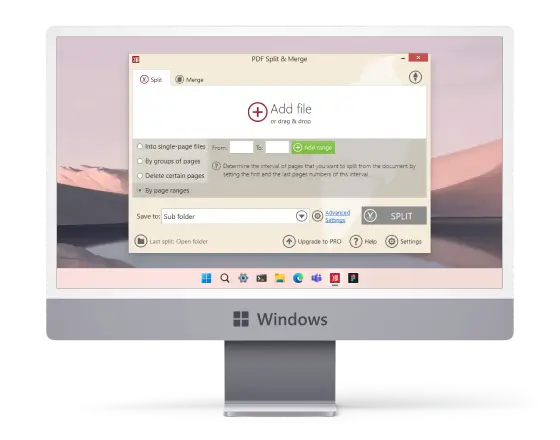
 Frequently Asked Questions
-
How do I select several pages in a row for splitting a PDF?
Use hyphens in the input field (e.g., 2-6) or try the “Split by page ranges” option. You can also select or deselect pages by clicking thumbnails.
-
Is there a way to combine content after separating PDF pages?
Yes, our PDF splitting tool allows merging split pages back into one file easily.
-
Are there restrictions on file size when using the split PDF tool?
No, the desktop PDF cutter has no size limits, even for files over 1 GB.
-
How to separate pages in my PDF online?
Simply upload your document to the PDF separator, choose the pages to extract, and download your new file instantly.
-
Will the formatting be preserved after splitting my PDFs?
Yes, the original layout, fonts, and elements will stay the same when you divide PDF files.